What Is a Purchase Code?
A purchase code is a unique ID. You get it after buying a digital product. It proves you own the item.
Most marketplaces use purchase codes. These include themes, plugins, apps, and software tools.
You often need this code to:
-
Activate a product
-
Get updates
-
Contact support
-
Install demos
-
Verify your license
Without it, many features may not work.
So learning how to get purchase code is very important.
Why Your Purchase Code Matters
Many buyers ignore the code. Later, they struggle when support asks for it.
Here is why you should keep it safe.
Proof of Ownership
The code shows you bought the item legally.
Faster Support
Support teams often ask for the code first.
Easy Updates
Some products require verification before updates.
Security
It protects sellers from piracy.
Pro Tip: Save your code in a password manager.
Where Do You Usually Get a Purchase Code?
The process is simple. Most platforms follow the same pattern.
You will find the code inside your account after purchase.
Common places include:
-
Download page
-
License certificate
-
Email receipt
-
Account dashboard
Let’s walk through the exact steps.
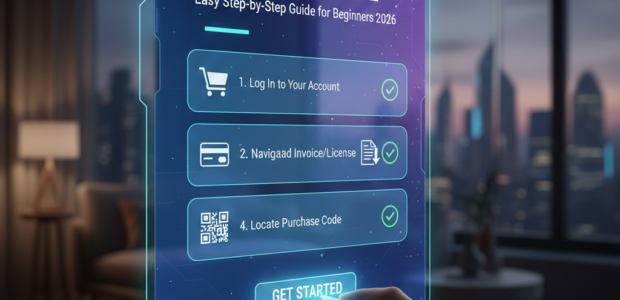
Step-by-Step: How to Get Purchase Code
Follow these steps carefully.
Step 1: Log Into Your Account
Go to the site where you bought the item.
Use the same email and password.
If you forgot them, reset your password first.
Step 2: Open the Downloads Section
Look for a menu called:
-
Downloads
-
Orders
-
Purchase History
Click it.
You will see all your items.
Step 3: Find Your Product
Scroll until you see the product name.
Make sure it matches your purchase.
Step 4: Click Download Options
Most platforms show a dropdown.
Select:
👉 License Certificate & Purchase Code
A PDF or text file will download.
Step 5: Copy the Code
Open the file.
You will see a long string like:
xxxxxx-xxxxxx-xxxxxx
That is your purchase code.
Save it somewhere safe.
How to Get Purchase Code from Theme Marketplaces
Many users search this because theme marketplaces are very popular.
The steps are nearly the same.
Quick Method
-
Log in
-
Go to Downloads
-
Click License Certificate
-
Open the file
-
Copy the code
Done.
Tip: Rename the file so you can find it later.
How to Recover a Lost Purchase Code
Do not panic if you lost it.
You can recover it easily.
Check Your Email
Search your inbox for:
-
“Purchase”
-
“Receipt”
-
“Thank you for buying”
The license file may be attached.
Download Again
Your account keeps past purchases.
Just download the certificate again.
Contact Support
If your account is gone, support can help.
Be ready to share:
-
Payment proof
-
Email
-
Order ID
Recovery usually takes less than 24 hours.
Common Mistakes to Avoid
Many beginners make small errors.
Avoid these.
❌ Deleting License Emails
Always archive them.
❌ Buying with Multiple Accounts
You may forget which account holds the code.
❌ Sharing the Code
Never post it publicly.
Someone could misuse it.
❌ Not Backing It Up
Store it in cloud notes or a secure app.
Where Should You Store Your Purchase Code?
Smart storage saves time later.
Here are safe options.
Password Managers
Best for security.
Examples include encrypted vault apps.
Cloud Notes
Easy access across devices.
Private Spreadsheet
Great if you manage many licenses.
Pro Tip: Add product names beside each code.
How Purchase Codes Help With Product Support
Support teams use the code to verify you.
Once verified, you get:
-
Faster replies
-
Bug fixes
-
Setup help
-
Updates
Want to learn more about product support strategies?
Check our guide on improving support requests.
What If Your Purchase Code Does Not Work?
This is rare but fixable.
Try these steps.
Double Check Copying
Do not add extra spaces.
Paste carefully.
Confirm the Account
Make sure you are using the buyer account.
Check Product Version
Some codes work only for one license.
Contact the Seller
Send your license file.
They will fix it fast.
Expert Tips Most Buyers Don’t Know
These tips can save you hours.
Buy From Trusted Platforms
Avoid unknown sellers.
Fake products may not have valid codes.
Keep One Email for Purchases
It keeps everything organized.
Label License Files
Example:
Plugin-name-license.pdf
Renew Support Before It Ends
This keeps your code active for help.
Purchase Code vs License Key — Are They the Same?
Many people confuse these.
They are similar but not always identical.
| Feature | Purchase Code | License Key |
|---|---|---|
| Given After Purchase | ✅ | ✅ |
| Proves Ownership | ✅ | ✅ |
| Used for Activation | Sometimes | Usually |
| Needed for Support | Yes | Often |
Think of the purchase code as proof.
The license key is often the activation tool.
When Do You Need a Purchase Code?
You may need it during:
-
Product installation
-
Demo import
-
Plugin activation
-
Support requests
-
Refund cases
So never ignore it.
How to Manage Multiple Purchase Codes
If you run many sites, this matters.
Create a simple system.
Use Categories
Group by:
-
Themes
-
Plugins
-
Tools
Add Expiry Dates
Some support plans expire.
Track them early.
Maintain a Backup
Export your list monthly.
Want to discover how professionals manage digital assets?
Read this detailed article on license organization.
Security Tips to Protect Your Purchase Code
Treat it like a password.
Follow these rules.
-
Never share in forums
-
Avoid screenshots
-
Do not send in public chats
-
Use encrypted storage
Hackers target exposed codes.
Stay alert.
Signs You Might Be Using the Wrong Purchase Code
Watch for these.
-
Activation fails
-
Seller rejects support
-
Updates are blocked
Often this means the code belongs to another product.
Check again.
Benefits of Keeping Your Purchase Code Ready
Still wondering why it matters?
Here is the payoff.
✔ Instant support
✔ Quick installs
✔ No delays
✔ Better security
✔ Stress-free updates
It is a tiny detail with huge impact.
Frequently Asked Questions
What is a purchase code used for?
A purchase code proves you bought a product. Sellers use it to verify ownership. You may need it for activation, updates, and support. Without it, some features might not work.
Where can I find my purchase code?
You can find it in your account under the Downloads or Orders section. Download the license certificate file. Open it to see your code.
Can I recover a lost purchase code?
Yes. Log into your account and download the license again. You can also search your email receipt or contact support with payment proof.
Is a purchase code the same as an invoice number?
No. An invoice tracks payment. A purchase code verifies ownership. Both are useful but serve different purposes.
Should I share my purchase code with others?
No. Sharing your code can lead to misuse. Treat it like a password and keep it private.
Why is my purchase code not working?
You may have copied it wrong. Check for spaces. Also confirm you are using the correct buyer account.
Do all digital products have purchase codes?
Most premium marketplaces provide them. Some smaller sellers may use license keys instead.
Can I use one purchase code on multiple websites?
Usually no. Many licenses allow one site per code. Always read the license terms.
What happens if I lose access to my account?
Contact the marketplace support team. Provide payment details so they can help recover your purchase.
Conclusion
Now you know exactly how to get purchase code without stress.
The steps are simple:
-
Log in
-
Open downloads
-
Get the license file
-
Copy the code
-
Store it safely
Never ignore this small detail. It protects your purchase and saves time later.
If you manage many digital products, build a storage system today. Future you will be thankful.
Take a few minutes now. Log in and confirm you know where your purchase codes are.